

Samsung has long been known for delivering powerful smartphones with software experiences tailored to its users. As part of this evolution, Samsung Experience Home received a major transformation and emerged under a new name: Samsung One UI Home. This application acts as the launcher for Galaxy devices, providing the familiar look of the Home screen and Apps screen while introducing a fresh design. With improved aesthetics, neatly arranged icons, and intelligent navigation, Samsung One UI Home seamlessly blends familiarity with innovation. It is not just a background tool—it is the foundation of how you interact with your Galaxy device every day.
What Is Samsung One UI Home?
At its core, Samsung One UI Home is the default launcher for Samsung Galaxy smartphones and tablets. It is the software responsible for displaying your Home screen, organizing app icons, managing widgets, and delivering the overall visual interface that makes Galaxy devices so intuitive to use.
Unlike third-party launchers, Samsung One UI Home is deeply integrated with the Galaxy ecosystem. This means it is optimized to work seamlessly with Samsung’s hardware and Android OS versions, ensuring smoother performance and better compatibility than most external alternatives.
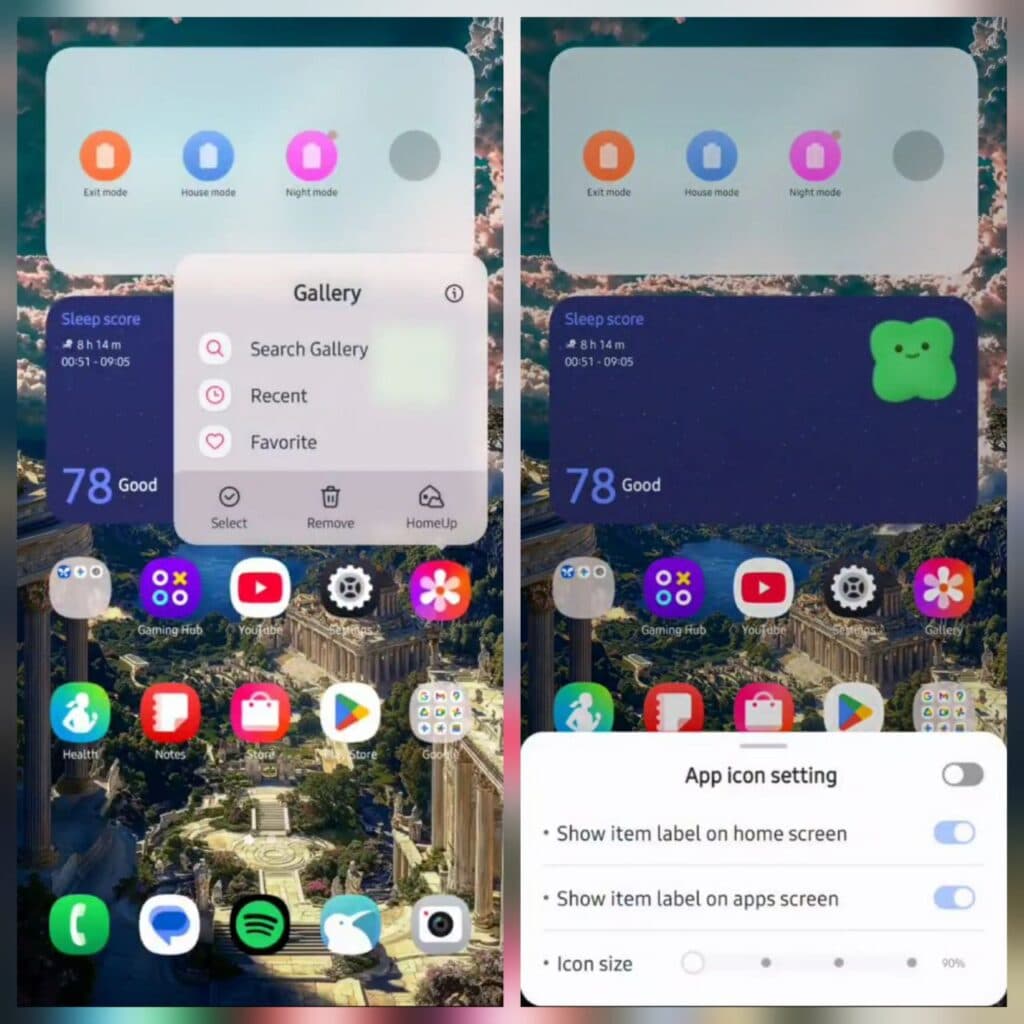
What Is Samsung One UI Home?
Key Features of Samsung One UI Home
Samsung One UI Home brings several powerful features designed to make your experience more fluid, customizable, and secure. Here are some of its highlights:
Full Screen Gestures
With the update to Android Pie and later versions, Samsung introduced full screen gestures. Instead of relying on the traditional navigation buttons at the bottom, you can hide them completely and enjoy a larger display area. By swiping up from different sections of the screen, you can quickly switch between apps, return to the Home screen, or view recent apps. This creates a more immersive and modern user experience.
Lock Home Screen Layout
Accidental icon rearrangements are a thing of the past. With the Lock Home screen layout feature, you can fix your app icons and widget placements in one setup. Once locked, you will not accidentally move, delete, or add new icons. This is especially useful if you prefer a consistent layout or share your phone with others.
Easy Access to App Info and Widgets
Long-pressing an app icon or widget now gives you quick access to deeper controls. You can jump directly to App Info or Widget Settings without digging through multiple menus. This makes customization and management more efficient and user-friendly.
Optimized Layout and Neat Design
Samsung One UI Home emphasizes simplicity. The icons are well-arranged, the design is minimal yet attractive, and both the Home and Apps screens feel naturally integrated with the Galaxy device’s overall look. This consistency across the interface makes navigation intuitive and visually pleasing.
Compatibility with Galaxy Devices
Being the official launcher from Samsung, One UI Home fits perfectly into the company’s ecosystem. It supports different screen sizes, including Galaxy tablets and foldable devices, ensuring smooth adaptability no matter which Galaxy model you use.
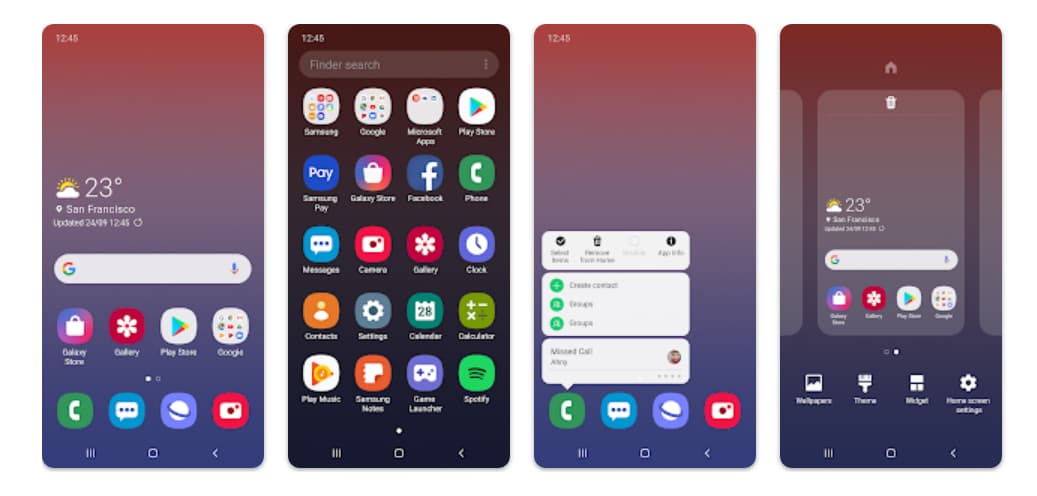
Key Features of Samsung One UI Home
Advantages of Using Samsung One UI Home
Why should you stick with Samsung’s default launcher instead of switching to a third-party option? Here are the main benefits:
-
Seamless Integration – Because it is designed specifically for Galaxy devices, it runs smoother than most alternatives and rarely faces compatibility issues.
-
Security and Privacy – As an official Samsung app, One UI Home undergoes regular updates to fix bugs, improve security, and maintain stability.
-
User-Friendly Interface – The layout is clean and minimal, reducing clutter and making it easy to find apps.
-
Customization Options – From locking layouts to gesture navigation, you can personalize the interface without overcomplicating it.
-
Optimized for Performance – Since it is part of the system software, One UI Home uses fewer resources compared to many external launchers, resulting in faster response times.
Optional App Permissions
Samsung One UI Home does not require mandatory permissions to function, which is a major plus for privacy-conscious users. However, it offers a few optional permissions to enhance your experience:
-
Storage: Allows restoration of your Home screen layout data if needed.
-
Contacts: Helps restore contact widget information.
If your device is running an Android version lower than 6.0, you may need to update your software to fully configure these permissions. Users can always reset previously granted permissions via the device’s Settings menu after an update.
Optional App Permissions
How to Use Samsung One UI Home
Since Samsung One UI Home comes pre-installed on all Galaxy devices, there is no need to install it separately in most cases. However, here are some practical steps to maximize its potential:
Step 1: Access Home Screen Settings
Tap and hold on an empty space on your Home screen. This will open the Home Screen Settings panel, where you can adjust layout, grid size, and widget placements.
Step 2: Enable Full Screen Gestures
-
Open Settings → Display → Navigation bar.
-
Select Full screen gestures.
This will remove the navigation buttons and enable gesture-based controls.
Step 3: Lock the Layout
If you want to keep your Home screen layout fixed:
-
Go to Home Screen Settings.
-
Turn on Lock Home screen layout.
Step 4: Manage App Info Quickly
Touch and hold any app icon. From here, you can select App Info to manage permissions, notifications, or storage without going through multiple settings menus.
Tips for New Users
-
Experiment with Grid Sizes – Adjust the Home screen grid to fit more or fewer icons depending on your preference.
-
Utilize Folders – Group similar apps into folders for a cleaner look.
-
Widgets for Efficiency – Place frequently used widgets (such as weather or calendar) directly on the Home screen for quick access.
-
Restore Layout Easily – If you reset your device or accidentally delete widgets, use the optional storage permission to restore your layout.
Troubleshooting and Support
If you encounter issues with Samsung One UI Home, you can always reach out to Samsung via the Samsung Members app. This dedicated support channel allows you to submit queries, troubleshoot problems, and receive guidance directly from Samsung experts.
Why Samsung One UI Home Stands Out
While Android offers countless third-party launchers, Samsung One UI Home remains a standout for Galaxy users. It is lightweight, integrated, and consistently updated. Instead of adding unnecessary complexity, it focuses on stability, security, and a balance between customization and simplicity.
Samsung’s goal with One UI Home is clear: to give Galaxy users a launcher that feels both familiar and refreshing. Whether you are navigating with gestures, locking your layout, or simply enjoying the clean design, this launcher provides the polished experience Samsung is known for.
Samsung One UI Home is more than just a launcher—it is the backbone of the Galaxy experience. With its refined design, smart features like gesture navigation, and the ability to lock layouts, it offers users both control and convenience. For anyone using a Galaxy device, embracing One UI Home means unlocking a smoother, more personalized interaction with your smartphone or tablet. Whether you are a casual user or a power user, One UI Home ensures that your device looks good, feels responsive, and works seamlessly with your daily needs.









