Introduction to Samsung Calculator
Samsung Calculator is one of the most practical and user-friendly productivity tools built into Samsung devices. While it may look simple at first glance, the app is far more powerful than a basic calculator. Designed for everyday users, students, professionals, and anyone who needs a reliable calculation assistant, Samsung Calculator provides a seamless experience that blends essential arithmetic functions with advanced engineering calculations and intuitive unit conversions.
In the world of mobile apps where users seek convenience and speed, Samsung Calculator stands out for its simplicity, accuracy, and thoughtful interface. Whether you need to sum expenses, check past calculations, convert temperature units, or handle complex formulas, the app ensures everything is done smoothly and instantly. This article will walk you through all the key features, benefits, usage tips, and reasons why Samsung Calculator is worth downloading and using daily.
Introduction to Samsung Calculator
What Makes Samsung Calculator Unique?
Samsung Calculator is more than a default system tool. It is a powerful digital assistant engineered to provide a wide range of functions while maintaining a clean and minimal design. Its intuitive layout makes it suitable for quick operations, but its depth of tools makes it ideal for advanced tasks as well.
One of its defining strengths is how it simplifies complex calculations. With engineering mode, unit conversion, and a robust history panel, the app meets the needs of users who require more than basic arithmetic. At the same time, Samsung Calculator remains lightweight and extremely fast, ensuring that your calculations never feel slowed down by unnecessary features or cluttered interfaces.
Key Features of Samsung Calculator
Basic and Advanced Calculation Support
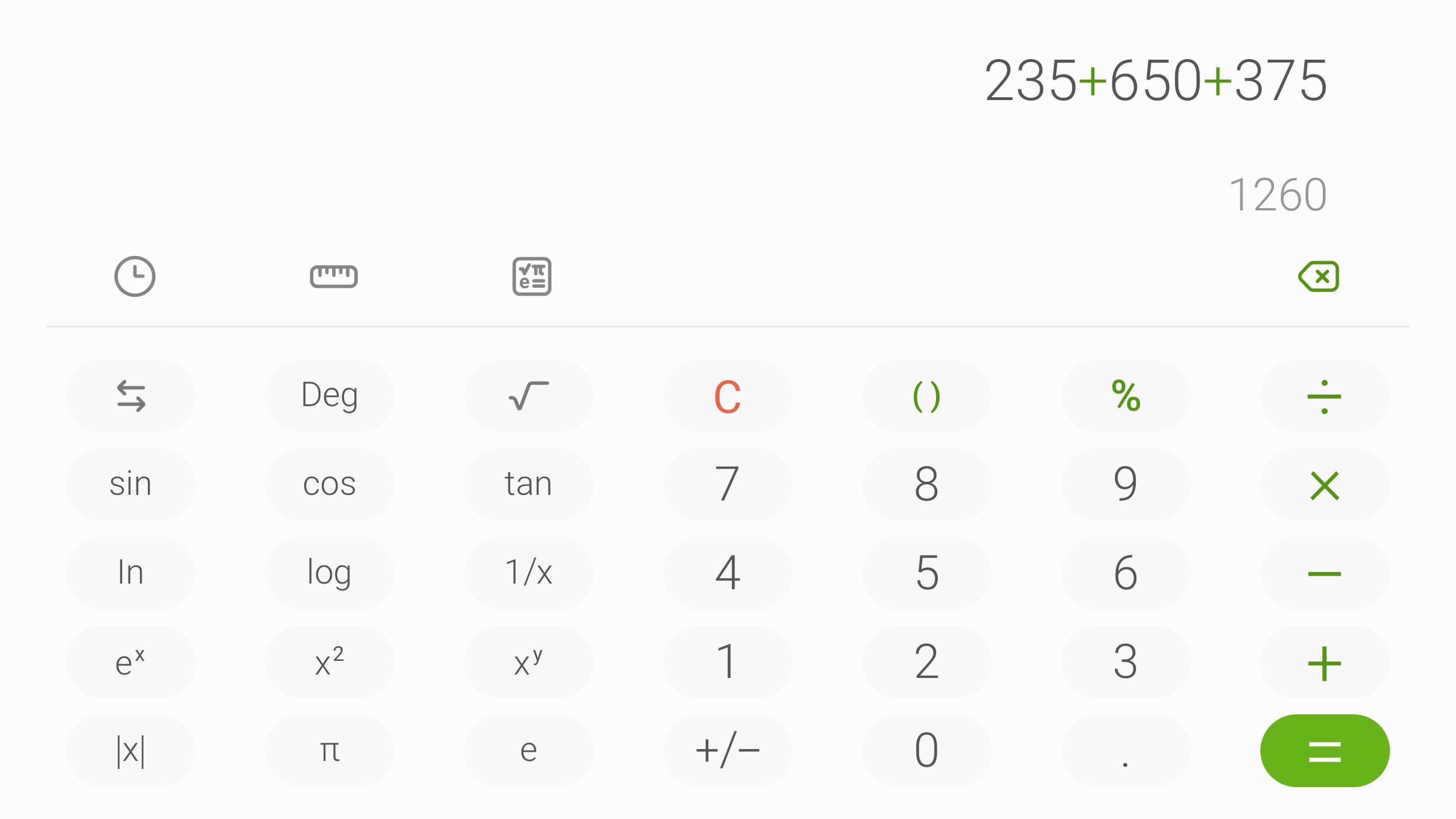
Samsung Calculator handles the four fundamental operations—addition, subtraction, multiplication, and division—with precision and ease. The responsive keypad ensures that each input is registered instantly, and the display area clearly shows ongoing calculations.
Beyond simple arithmetic, the app offers engineering calculations that include trigonometric functions, logarithms, powers, roots, factorials, brackets, and more. This makes it an ideal companion for students, engineers, and technical professionals who need advanced functions at any time.
Engineering Calculator Mode
To activate engineering mode, users simply tap the engineering calculator icon. This reveals a set of specialized tools commonly found in scientific calculators. Rather than navigating through complex menus, Samsung Calculator displays these functions directly on the screen, making it easy to perform technical calculations on the go.
This engineering mode is especially useful for academic tasks such as solving equations, analyzing angles, calculating scientific constants, or performing complex mathematical modeling. With just one tap, what starts as a simple calculator transforms into a powerful scientific tool.
Calculation History Panel
One of the biggest advantages of Samsung Calculator is its detailed calculation history feature. By tapping the calculation history icon, users can view their previously inputted formulas and results. This allows you to revisit past work, analyze long sequences of operations, or correct and reuse formulas without re-typing them.
When the history panel opens, each calculation is clearly listed, ensuring users do not lose track of complex equations or cumulative problems. You can also tap any previous formula to reuse it instantly. To close the history panel, simply tap the keypad icon to return to the standard interface.
This feature is extremely useful for budgeting, academic work, and projects where consistent calculations are required across multiple stages.
Unit Conversion Tool
In addition to mathematical capability, Samsung Calculator also includes a comprehensive unit converter. By tapping the unit calculator button, users gain access to categories such as:
-
Area
-
Length
-
Temperature
-
Weight
-
Volume
-
Speed
-
Pressure
-
Data size
-
And many more
The unit converter simplifies everyday tasks such as determining metric equivalents, converting temperatures for cooking or travel, or analyzing physical measurements for work or study. Samsung Calculator supports smooth switching between various unit categories, allowing instant results without external apps.
Clean Interface and Fast Performance
Samsung Calculator is designed with simplicity and clarity in mind. The app’s layout is intuitive, allowing users to perform calculations quickly and without confusion. The buttons are well-spaced, the screen displays results clearly, and every function is precisely where users expect it to be.
Because the app is optimized for Samsung devices, it runs smoothly without consuming unnecessary system resources. This ensures fast performance across older devices as well as newer flagships.
Key Features of Samsung Calculator
How to Download Samsung Calculator
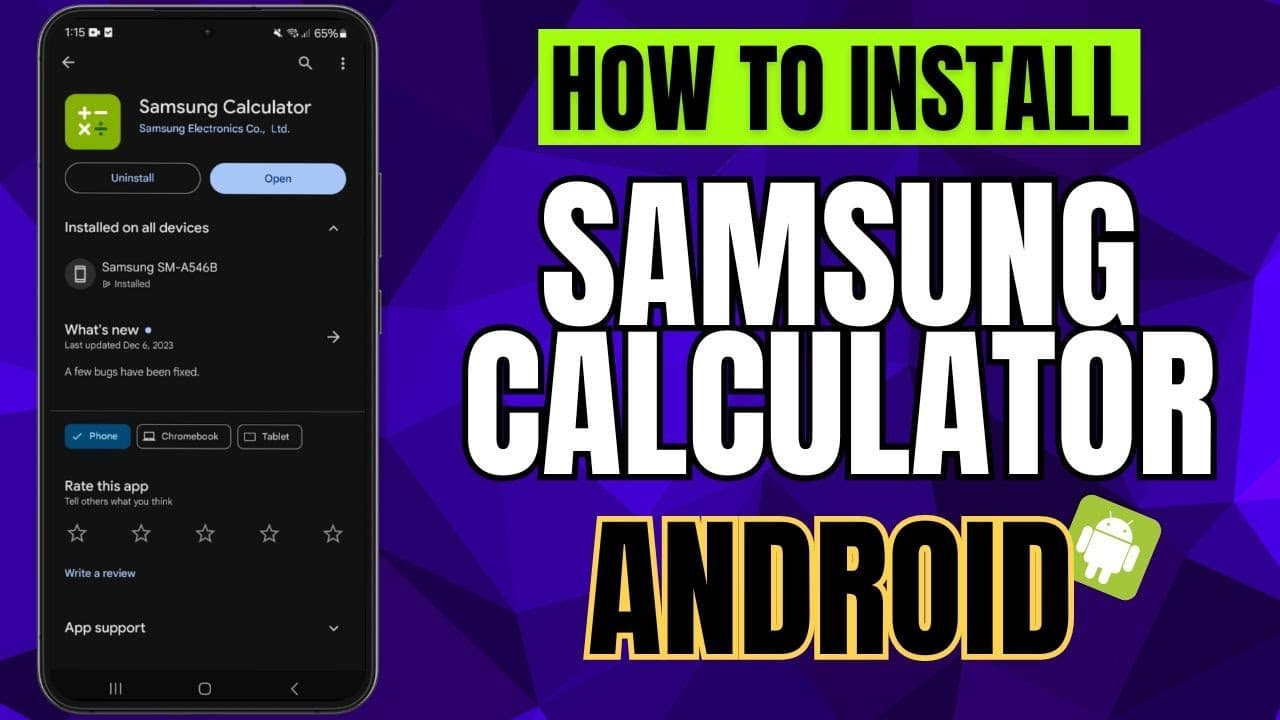
If your Samsung device does not have the app pre-installed or you previously removed it, you can easily download Samsung Calculator again. Simply follow these steps:
-
Open the Galaxy Store or Google Play Store on your Samsung device.
-
Search for Samsung Calculator.
-
Tap Install or Update depending on your device status.
-
Once installed, the app will appear on your home screen or in your app drawer.
Because Samsung Calculator is an official app developed by Samsung Electronics, it is safe, secure, and regularly updated. New features and improvements are added over time to ensure optimal performance and user satisfaction.
How to Use Samsung Calculator Effectively
Switching Between Basic and Engineering Modes
To perform standard calculations, simply open the app and begin typing. When you need more complex functions, tap the engineering calculator icon. This instantly switches the interface and unlocks advanced tools.
Viewing and Reusing Calculation History
Open the history panel using the history icon. You can scroll through previous formulas, copy them, or tap directly to reuse them in new calculations. This is ideal for repetitive tasks where precision matters.
Converting Units Effortlessly
To convert units, access the unit calculator button and select the category you need. Then choose the units you want to convert from and to. Enter the value and the converted result appears instantly.
Keeping Work Organized
The combination of clean UI, history tracking, and simple navigation makes Samsung Calculator an excellent tool for organized workflow. Users can move between modes, review past results, and switch tools without losing progress or having to restart calculations.
How to Use Samsung Calculator Effectively
Software License Information
Samsung Calculator uses the Apache License 2.0, one of the most widely recognized open-source licenses. You can find full details at:
http://www.apache.org/licenses/LICENSE-2.0
This licensing ensures transparency, reliability, and long-term support for the software.
Samsung Calculator is an essential mobile tool that goes well beyond basic math. With engineering functions, unit conversion capabilities, history tracking, and an intuitive design, it delivers a complete and reliable calculation experience. Whether you are preparing financial reports, studying mathematics, traveling abroad, cooking, or working in a technical field, Samsung Calculator provides everything you need in a single lightweight app.
Its integration into the Samsung ecosystem ensures smooth performance, consistent updates, and strong compatibility across all Samsung devices. If you value accuracy, speed, and convenience, downloading Samsung Calculator is an effortless decision that will enhance your daily productivity.