Google Wallet has become one of the most convenient digital tools for anyone using an Android phone, a Wear OS smartwatch, or even select Fitbit devices. As our daily lives shift toward mobile-first solutions, Google Wallet helps streamline everything you carry—payments, passes, tickets, IDs, keys, loyalty cards—into a single, secure app. Instead of juggling physical items, Wallet keeps your essentials accessible, organized, and protected whenever you need them. This comprehensive guide explores how Google Wallet works, what makes it secure, why it is one of the most reliable digital wallets available today, and how you can download and start using it on your device.
What Makes Google Wallet So Convenient?
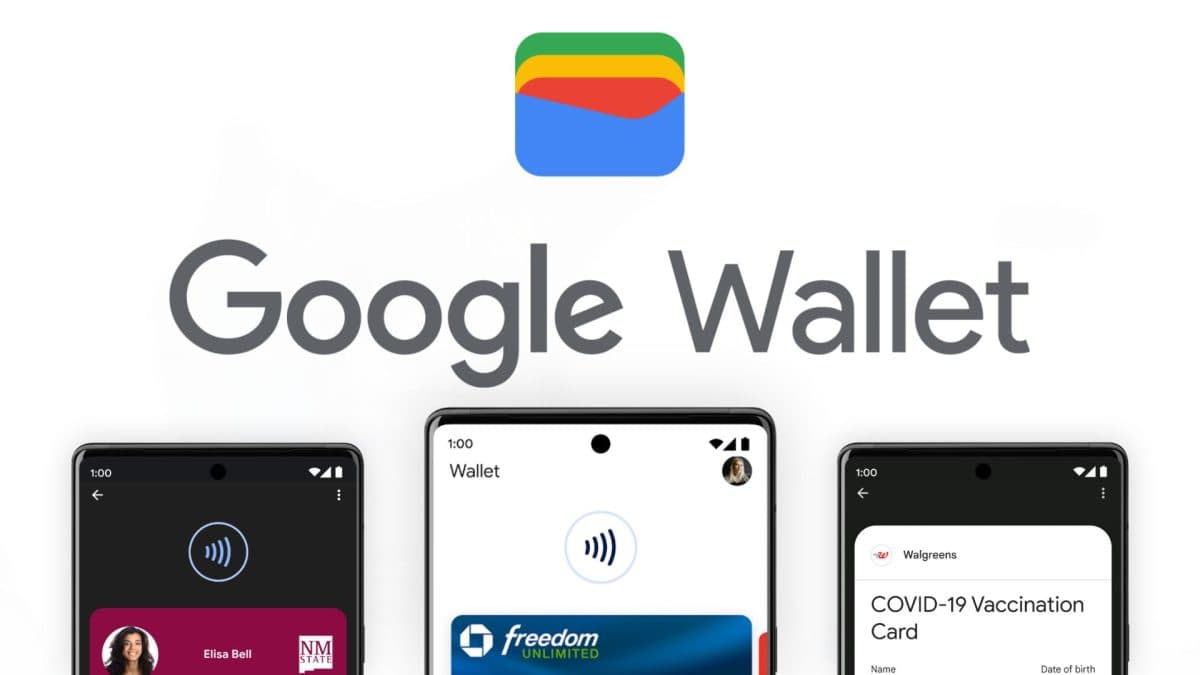
Google Wallet is designed to minimize friction in your daily routine. Whether you are commuting, shopping, traveling, or attending events, the app provides multiple fast and intuitive ways to access what you need.
Easy Access From Your Phone or Hands-Free Options
With Google Wallet, essentials are always within reach. You can open the app from your home screen, use your phone’s quick settings panel, or activate it through Google Assistant when your hands are full. This flexibility is especially useful when you need immediate access to a payment method, ticket, or pass without searching through apps or physical items.
Google Wallet on Wear OS Devices
For users with a Wear OS smartwatch, Wallet becomes even more seamless. Your passes and payment cards can be accessed right from your wrist. Customizable watch face complications offer instant shortcuts to Wallet, making tap-to-pay or boarding a train smoother than ever.
Carry More Than Just Cards
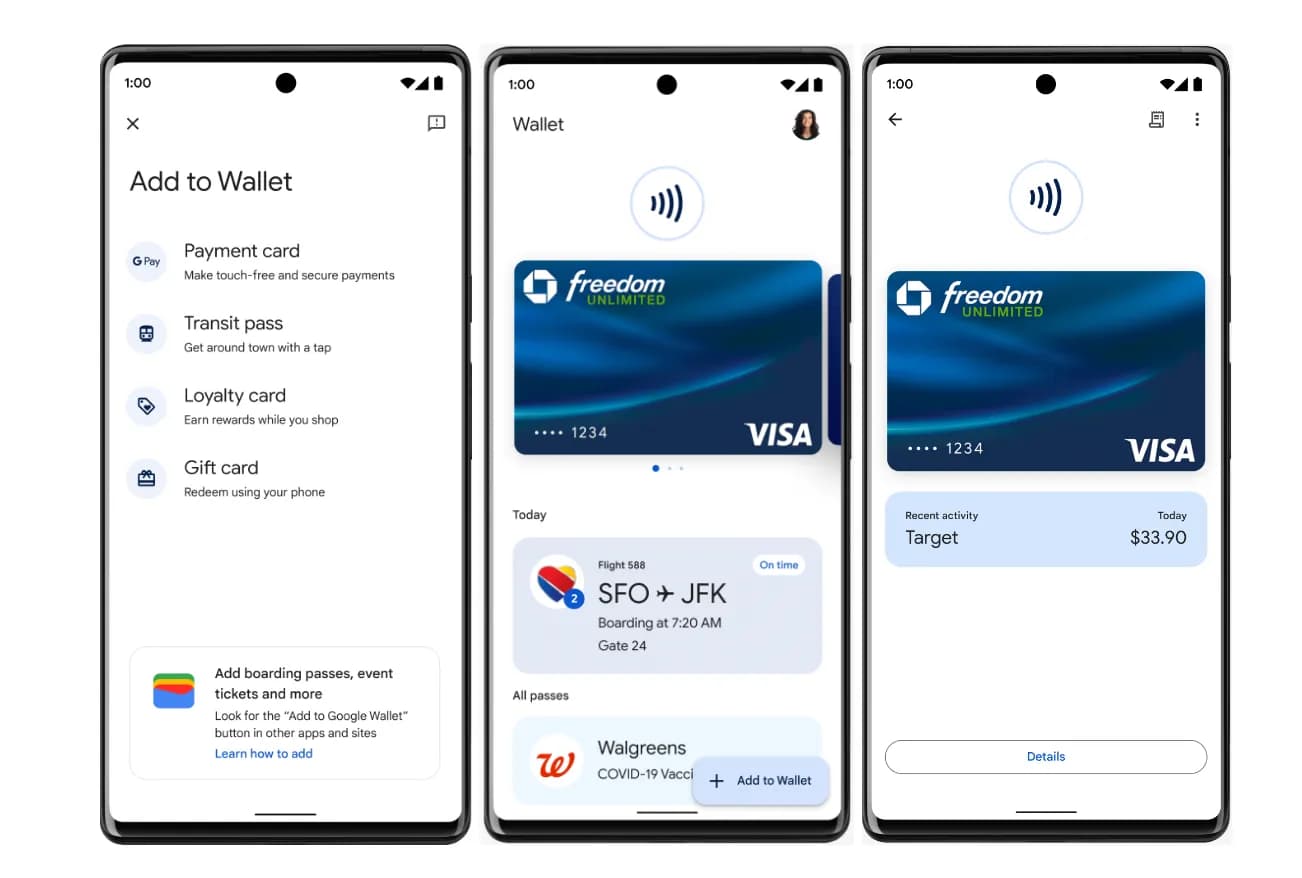
While Google Wallet is commonly known for mobile payments, it stores far more than credit or debit cards. Users can add:
-
Transit passes
-
Boarding passes
-
Movie or event tickets
-
Loyalty and rewards cards
-
Store membership cards
-
Digital car keys
-
And in certain regions, digital IDs such as driver’s licenses
In the U.S., Google Wallet even allows select digital IDs and car keys, transforming your phone into an all-in-one access device.
Smart Suggestions When You Need Them Most
Wallet’s intelligent reminders ensure you never miss an important moment. For example, on the day of a flight, your boarding pass may automatically appear as a notification. Instead of digging through bags or apps, you get instant access at exactly the right time.
What Makes Google Wallet So Convenient?
Helpful Features That Keep Everything Organized
Beyond storing essentials, Google Wallet helps you stay aware, prepared, and informed throughout the day.
Keep Track of Receipts and Transaction Details
Wallet organizes your purchases by storing receipts and transaction information. If you tap to pay using Google Pay, you can easily view:
-
Date and time of transaction
-
Merchant name
-
Payment method
-
Purchase location (pulled from Google Maps when available)
This helps you manage your spending or track receipts without keeping physical copies.
Integration Across the Google Ecosystem
One of Google Wallet’s biggest strengths is its integration with other Google services. When items in your Wallet sync across your account, apps like Google Calendar or Google Assistant can keep you updated with flight notifications, event changes, and reminders.
In addition, loyalty points and store benefits stored in Wallet can appear across Google Maps and Google Shopping. This makes it easier to compare rewards, find nearby stores, or check your benefits before making a purchase.
Quick Setup and Easy Imports
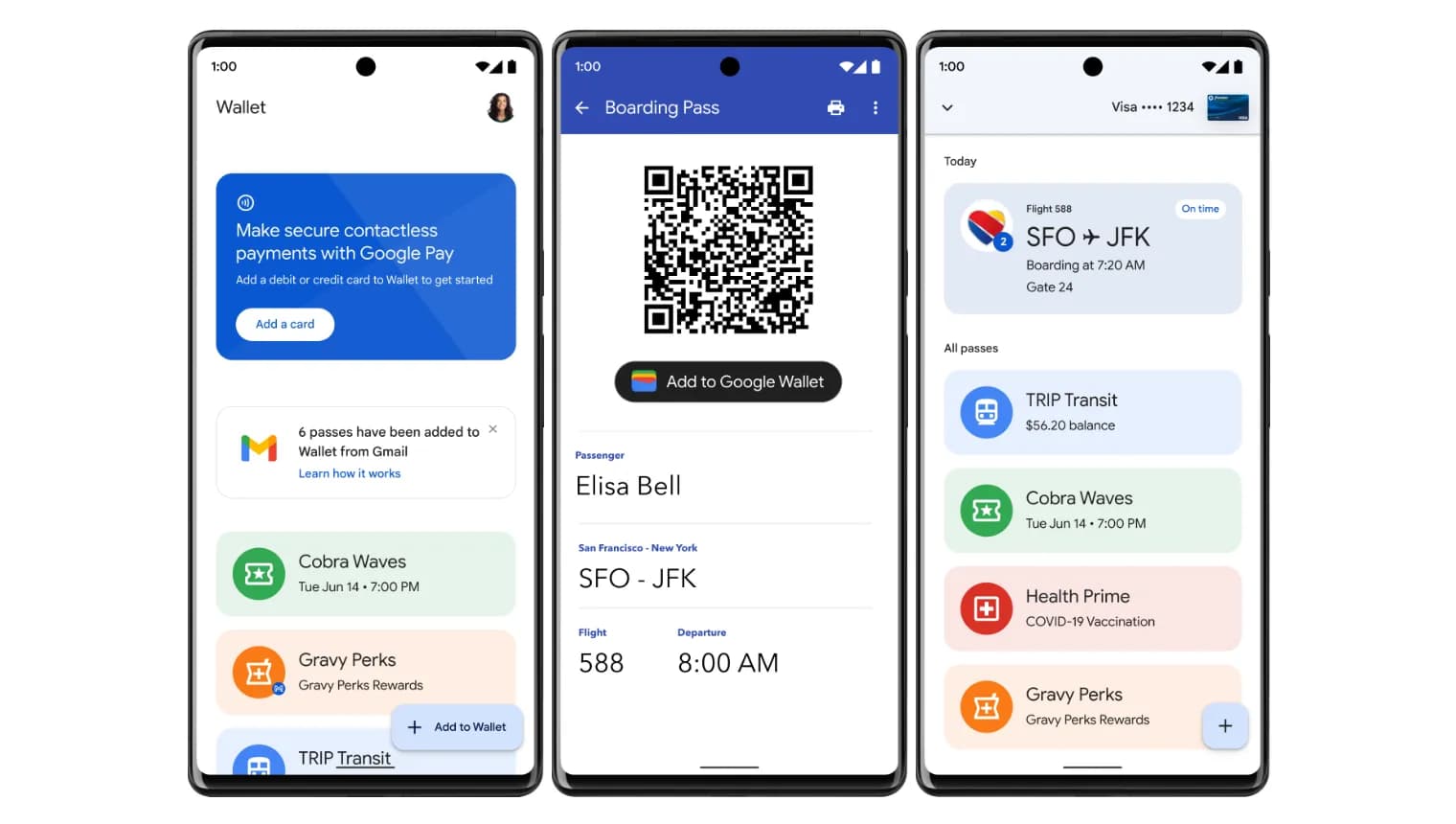
Setting up Google Wallet is surprisingly simple. If you have already saved cards, passes, or loyalty memberships in Gmail, Wallet can import them automatically. There is no need to enter card numbers or scan passes manually.
Stay Updated While Traveling
Thanks to information pulled from Google Search, Google Wallet helps travelers stay informed with:
-
Gate changes
-
Flight delays
-
Time updates
-
Terminal instructions
These real-time alerts make airport travel smoother and reduce the stress of constantly checking screens or announcements.
Helpful Features That Keep Everything Organized
Safe, Private, and Secure by Design
Security is one of the biggest priorities for Google Wallet. Every feature is built with privacy protections and multiple layers of protection to ensure your data stays safe.
Built-In Android Security
Since Google Wallet runs on the Android platform, it benefits from Android’s core security features, including:
-
2-Step Verification: Prevents unauthorized access
-
Find My Phone: Helps you locate or lock your device
-
Remote Data Erase: Allows you to wipe your Wallet if your phone is lost or stolen
These protections ensure your payment methods and personal information remain secure even if your device goes missing.
Tap to Pay Without Sharing Personal Card Information
When you use tap-to-pay through Google Wallet, the merchant never sees your actual card number. Instead, a virtual token is used to process the payment. This process helps shield your financial details and reduces the risk of fraud.
Transparent Data Control Settings
Google Wallet prioritizes user privacy. You can easily decide how much information is shared across Google services. These opt-in controls allow you to personalize your experience without compromising your comfort or security.
How to Download Google Wallet
If you are ready to start using Google Wallet, downloading it only takes a few simple steps. The app is available on:
-
Android smartphones running Lollipop 5.0 or higher
-
Wear OS devices
-
Select Fitbit devices with Wallet support
Follow these steps on your Android smartphone:
-
Open the Google Play Store.
-
Search for Google Wallet.
-
Tap Install to download the app.
-
Once installed, open the app and sign in to your Google account.
-
Add your cards, passes, tickets, or transit methods by following the on-screen prompts.
If you already have payment cards saved in Google Play, Gmail, or past Google Pay usage, you may find that many items automatically appear in Wallet after setup.
How to Download Google Wallet
How to Start Using Google Wallet
Once Google Wallet is ready on your device, using it daily becomes second nature.
Paying at Stores
To use tap-to-pay:
-
Unlock your phone
-
Hold it near the contactless payment terminal
-
Wait for the confirmation vibration or on-screen notice
Your payment will process through a secure virtual number, not your real card details.
Using Wallet for Travel, Transit, and Events
You can add boarding passes, concert tickets, metro cards, and more. When arriving at a gate or terminal, simply unlock your phone and hold it near the scanner. Many passes even appear automatically when you arrive at the airport.
Using Wallet on Wear OS
If you have a compatible smartwatch:
-
Press the side button or use a watch face shortcut
-
Select your card or pass
-
Hold your watch near the scanner
This is helpful when you want to travel light or enjoy a hands-free checkout experience.
In a world where mobile convenience is becoming essential, Google Wallet transforms your device into a secure, intuitive hub for everyday life. Instead of carrying bulky wallets, stacks of cards, paper tickets, or physical keys, you can rely on a single, protected app that keeps everything in one place.
From seamless transit access to real-time travel alerts, secure payments, and smartwatch integration, Google Wallet is designed for modern efficiency. Whether you want faster checkout experiences, safer digital storage, or smarter travel tools, Wallet offers a solution that fits into any routine. If you want an all-in-one way to organize your essentials, download Google Wallet today and experience the ease of carrying everything securely on your phone.