
Managing time effectively is one of the biggest challenges in modern life. Whether you are a student juggling assignments, a professional working on deadlines, or simply someone who wants better control over your daily schedule, having the right tool is essential. That’s where Clock comes in. Designed as an all-in-one application, Clock helps you organize your time with precision through its Alarm, World Clock, Stopwatch, and Timer features. More than just a standard time app, Clock also integrates city-based weather updates, making it both practical and reliable for users worldwide. In this article, we’ll introduce you to the Clock app in detail—covering its features, benefits, and how you can start using it today to improve productivity.
Why Choose Clock?
Clock is more than just a utility app; it’s a comprehensive time management solution that helps you structure your day with ease. Instead of using separate apps for alarms, timers, and weather, you get everything you need in one clean, efficient package.
Some of the standout reasons to choose Clock include:
-
Convenience: Manage all your time-related needs in one app.
-
Flexibility: Features like snooze alarms, preset timers, and multiple stopwatches make it highly customizable.
-
User-friendly design: Intuitive navigation ensures that even first-time users can set up their schedules without confusion.
-
Added value: Built-in weather updates by city help you plan not just your time, but also your day.
Why Choose Clock?
Key Features of Clock
Alarm
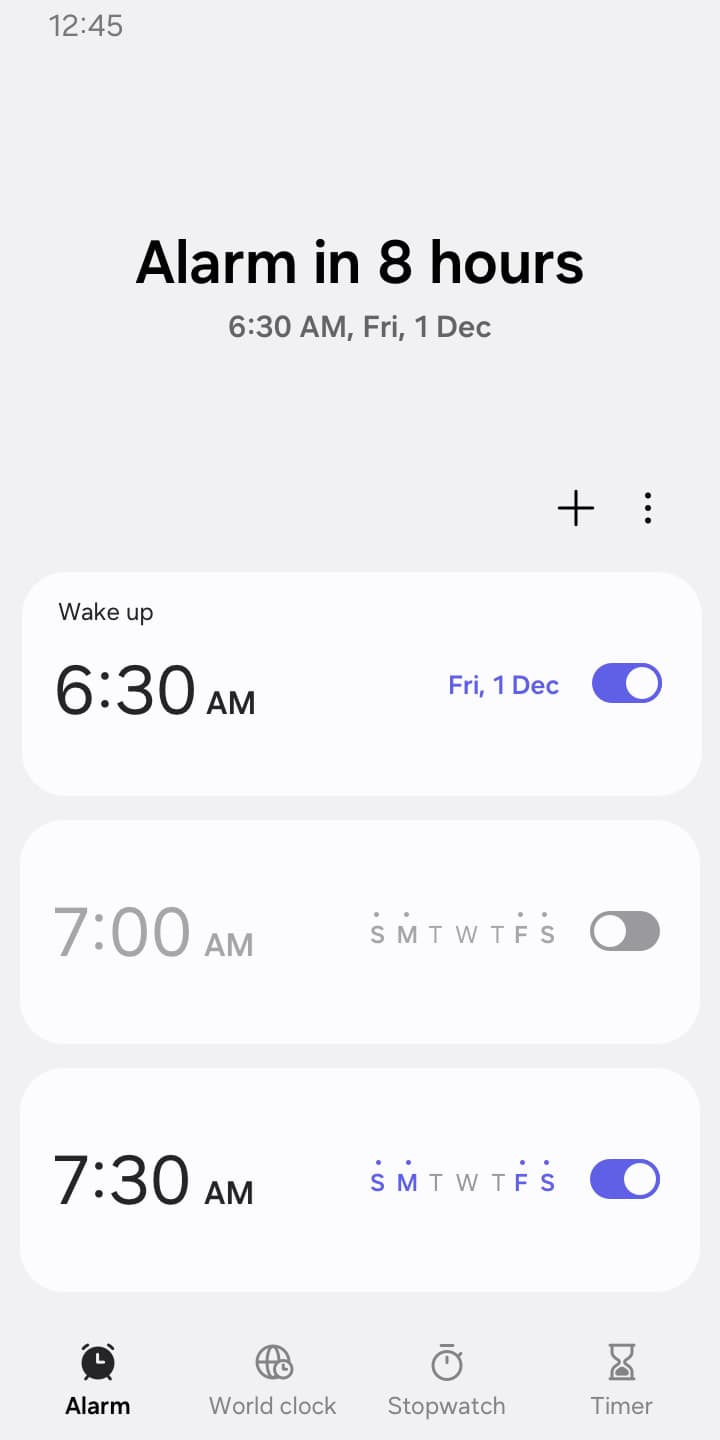
The Alarm function in Clock goes beyond the basic wake-up call. You can:
-
Assign specific dates to alarms.
-
Use the repeat option with flexibility—skip one day and reactivate when needed.
-
Activate the Snooze function, which works like setting multiple alarms without extra effort.
This feature is perfect for anyone who wants full control over their mornings or reminders throughout the day.
World Clock
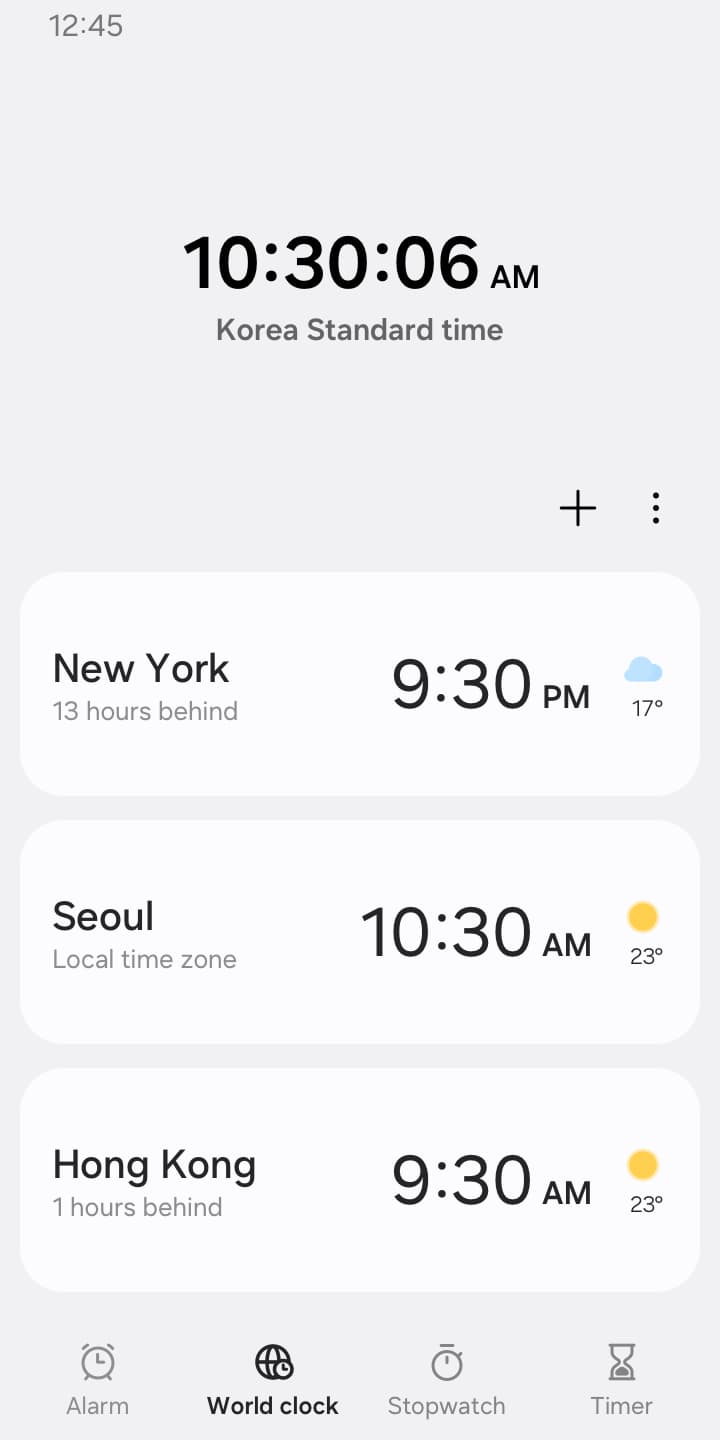
For those who work or communicate across time zones, the World Clock is a lifesaver. You can:
-
Check the time and weather by city.
-
Use the interactive globe to confirm the exact location of a city.
Whether you’re managing international meetings or keeping track of family members abroad, this tool keeps you connected.
Stopwatch
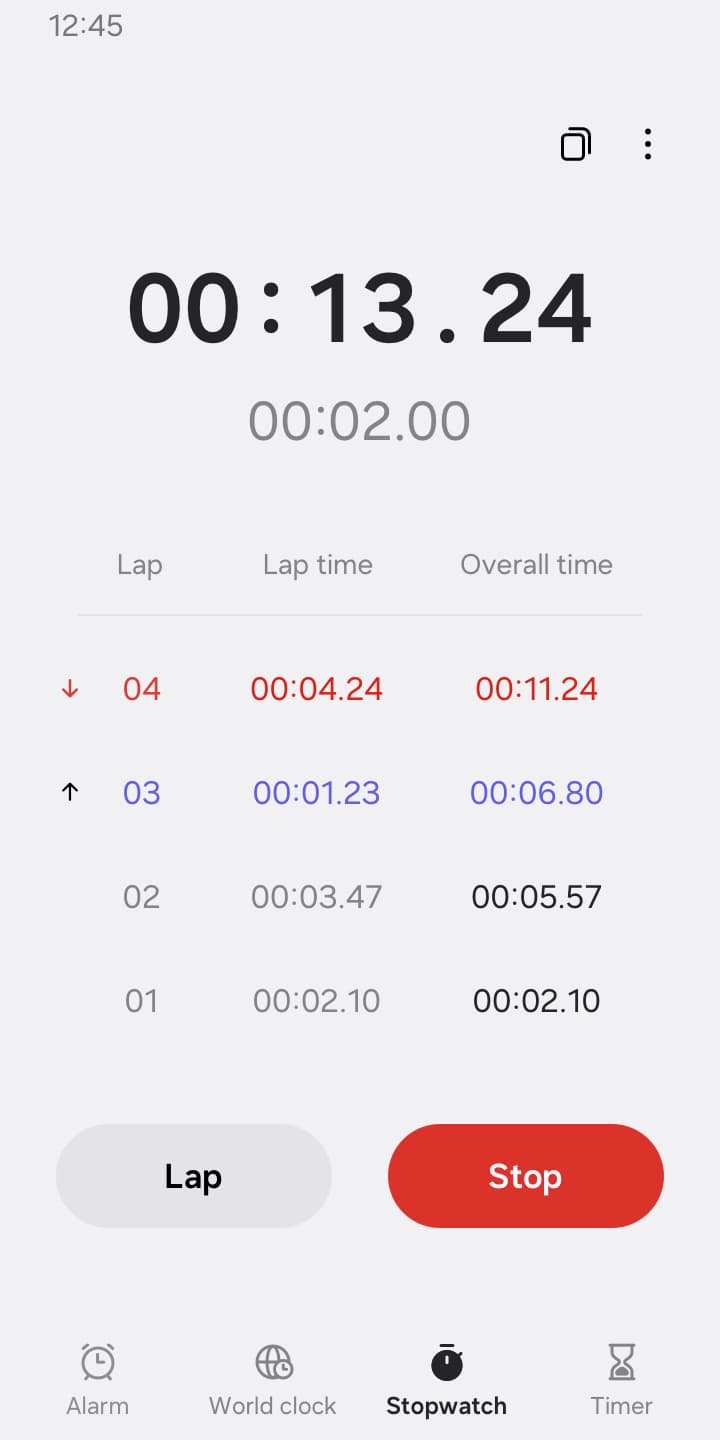
Athletes, coaches, or anyone who tracks activities will appreciate the Stopwatch feature. It allows you to:
-
Record the elapsed time for each section of an activity.
-
Copy and save recorded values for reference.
From workouts to productivity tracking, Stopwatch helps you measure performance with precision.
Timer
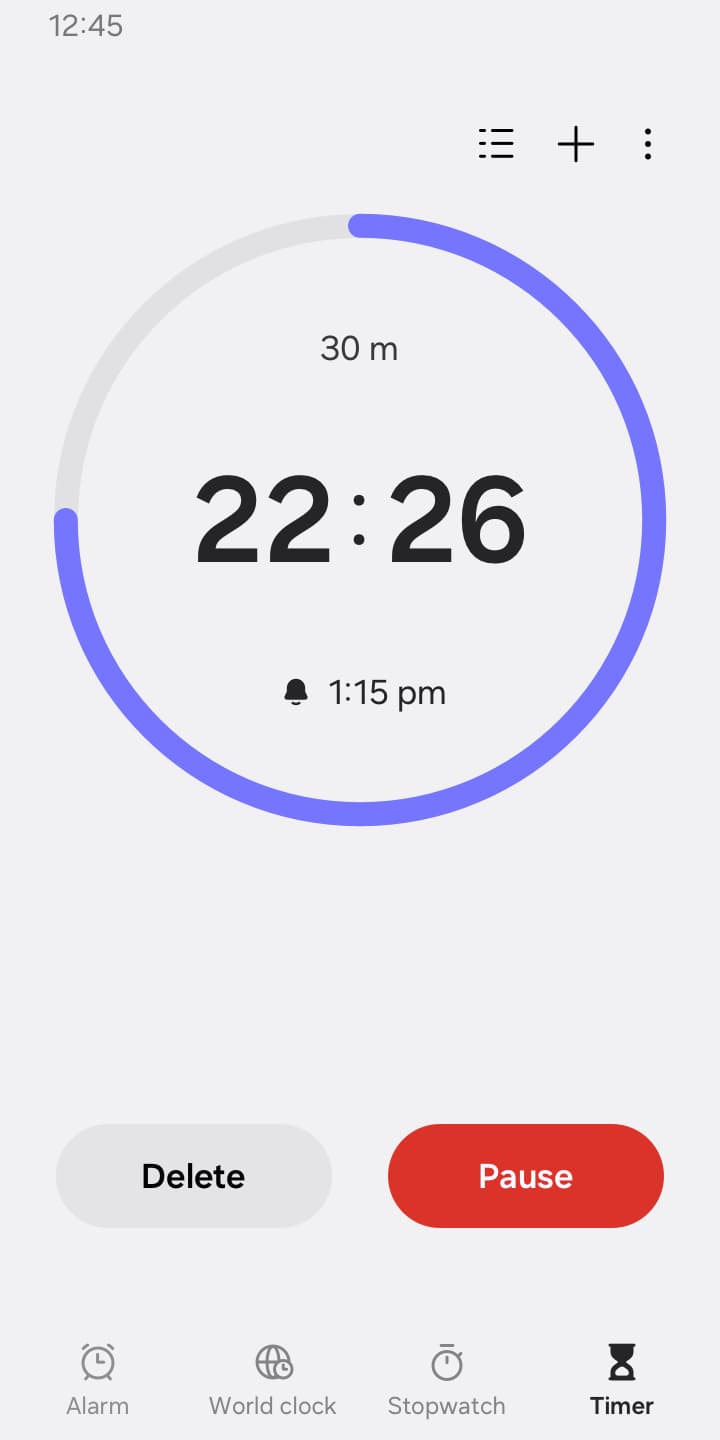
Timers are indispensable for cooking, studying, or time-blocking tasks. Clock enhances this with:
-
The ability to save preset timers for frequently used durations.
-
Running multiple timers simultaneously, giving you flexibility for multitasking.
This feature is perfect for people who want structured routines without constantly resetting timers.
Key Features of Clock
Optional Permissions for a Customized Experience
Clock offers a range of customization options by requesting certain permissions. While the basic functions work without them, enabling these permissions enhances the experience:
-
Music and audio: Use your own sounds for alarms and timer alerts.
-
Notifications: Get reminders for ongoing timers, upcoming alarms, or any missed alerts.
-
Photos and videos: Personalize alarm backgrounds with images or videos (Android 14 and higher).
These optional permissions make the app more personal and engaging without compromising usability.
Advantages of Using Clock
Here are some key benefits that make Clock stand out:
-
All-in-one solution: Instead of juggling multiple apps, Clock brings all time tools into one.
-
Customizable experience: From alarm tones to timer presets, Clock adapts to your lifestyle.
-
Efficiency: Save time setting up routines and focus on what matters most.
-
Global reach: Weather and time updates make it valuable for international users.
-
Reliability: With smart snooze and notification features, you’ll never miss an important moment.
Advantages of Using Clock
How to Get Started with Clock
Using Clock is simple and beginner-friendly. Here’s how you can start:
-
Download and install the app from your device’s app store.
-
Open the app and explore the main interface where Alarm, World Clock, Stopwatch, and Timer are displayed.
-
Set up your first alarm by choosing the date, time, and optional snooze settings.
-
Add world clocks for cities that matter to you—perfect for travelers or global professionals.
-
Experiment with Stopwatch and Timer to see how they can fit into your daily routine.
Within minutes, you’ll have a fully customized tool ready to support your schedule.
How to Get Started with Clock
How to Use Key Features
-
Setting an Alarm: Choose your desired time, set repetition options, and add a snooze if needed. Customize the sound for a personal touch.
-
Checking the World Clock: Tap on the globe, search for your city, and view both time and weather instantly.
-
Using the Stopwatch: Start, pause, and reset with ease. Save split times for comparison.
-
Creating Timers: Select duration, label the timer, and save it as a preset if frequently used. Multiple timers can run together for different tasks.
Who Should Use Clock?
Clock is designed for everyone, but it’s especially beneficial for:
-
Students: Manage study schedules, track reading time, or time exam practice.
-
Professionals: Coordinate international meetings and structure tasks effectively.
-
Fitness enthusiasts: Use Stopwatch and Timer for workouts.
-
Travelers: Stay updated on global time zones and local weather conditions.
-
Everyday users: From cooking timers to wake-up alarms, Clock simplifies daily routines.
In today’s fast-paced world, effective time management is not just a skill—it’s a necessity. The Clock app provides everything you need to plan, track, and optimize your day in one powerful tool. With features like Alarm, World Clock, Stopwatch, Timer, and integrated weather updates, Clock ensures you are always on top of your schedule. Whether you’re waking up for work, tracking fitness goals, or coordinating across continents, Clock delivers reliability, flexibility, and ease of use. If you want to stay productive and manage your time smarter, Clock is the app to download today.









