Managing work, school, and personal life can feel overwhelming, especially when information is scattered across different apps and devices. Microsoft Outlook solves this challenge by bringing your email, files, and calendars together in a single, secure, and intelligent platform. Designed to help you stay organized, focused, and productive, Outlook offers a seamless experience whether you’re at the office, traveling, or simply catching up on messages from home. With its flexible compatibility and powerful features, Microsoft Outlook makes it easier than ever to stay connected and keep your day running smoothly.
In this comprehensive guide, you’ll learn what makes Microsoft Outlook one of the most trusted productivity apps in the world, what features matter most, and why downloading Outlook can completely transform the way you manage your personal and professional life.
A Unified Inbox That Brings Everything Together
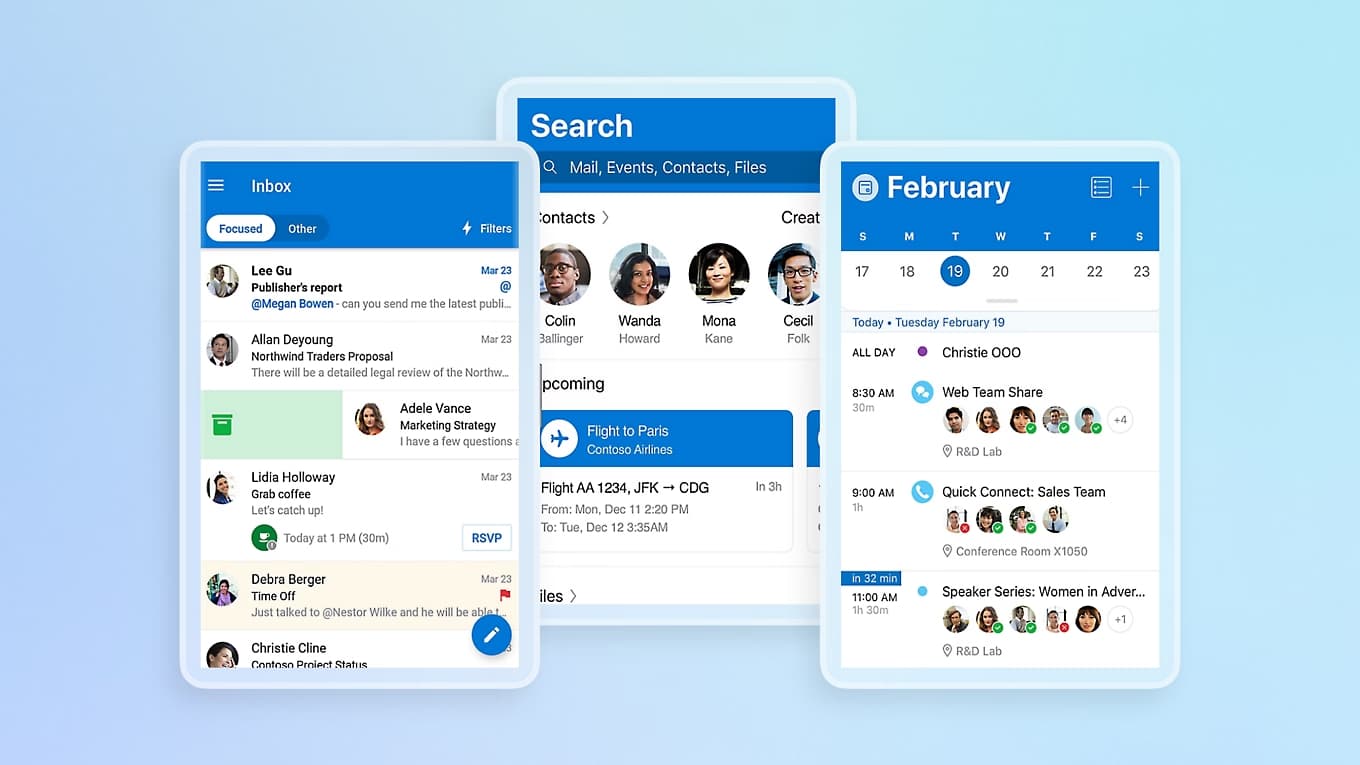
One of the biggest advantages of Microsoft Outlook is its ability to unify all your communication in one place. Instead of switching between multiple apps or losing time trying to track messages from different accounts, Outlook centralizes everything—letting you manage your email, contacts, files, and even meetings without leaving the app.
Outlook supports a wide range of email providers, giving you the freedom to stay connected no matter where your messages come from. You can easily add:
-
Microsoft Exchange
-
Microsoft 365
-
Outlook.com, Hotmail.com, MSN.com, Live.com
-
Gmail
-
Yahoo Mail
-
iCloud
-
IMAP and POP3 accounts
This flexibility means you can use Outlook as your main email hub, combining your personal inbox, work emails from your company’s server, and even school messages—completely free for personal use.
Beyond email management, Outlook also connects effortlessly with your files through Microsoft 365. You can access Word, Excel, PowerPoint, and OneNote documents directly from your inbox. Adding attachments becomes surprisingly simple, with quick access to recent files, OneDrive storage, and even media from your phone. Everything you need is just a tap away.
A Unified Inbox That Brings Everything Together
Intelligent Email Organization for a Cleaner Inbox
A cluttered inbox can be stressful and time-consuming. Microsoft Outlook solves this with intelligent message organization built into the app. Using smart filters, Outlook divides your inbox into Focused and Other, helping you instantly see your most important messages while keeping newsletters, promotions, and low-priority content neatly out of the way.
Outlook also lets you fine-tune how you manage your messages:
-
Use swipe gestures to delete, archive, move, or snooze emails
-
Pin important messages to keep them at the top of your inbox
-
Flag emails for follow-up and simplify your daily priorities
-
Group conversations with the same subject for clearer tracking
These features significantly reduce email overload and ensure you always stay on top of the messages that matter.
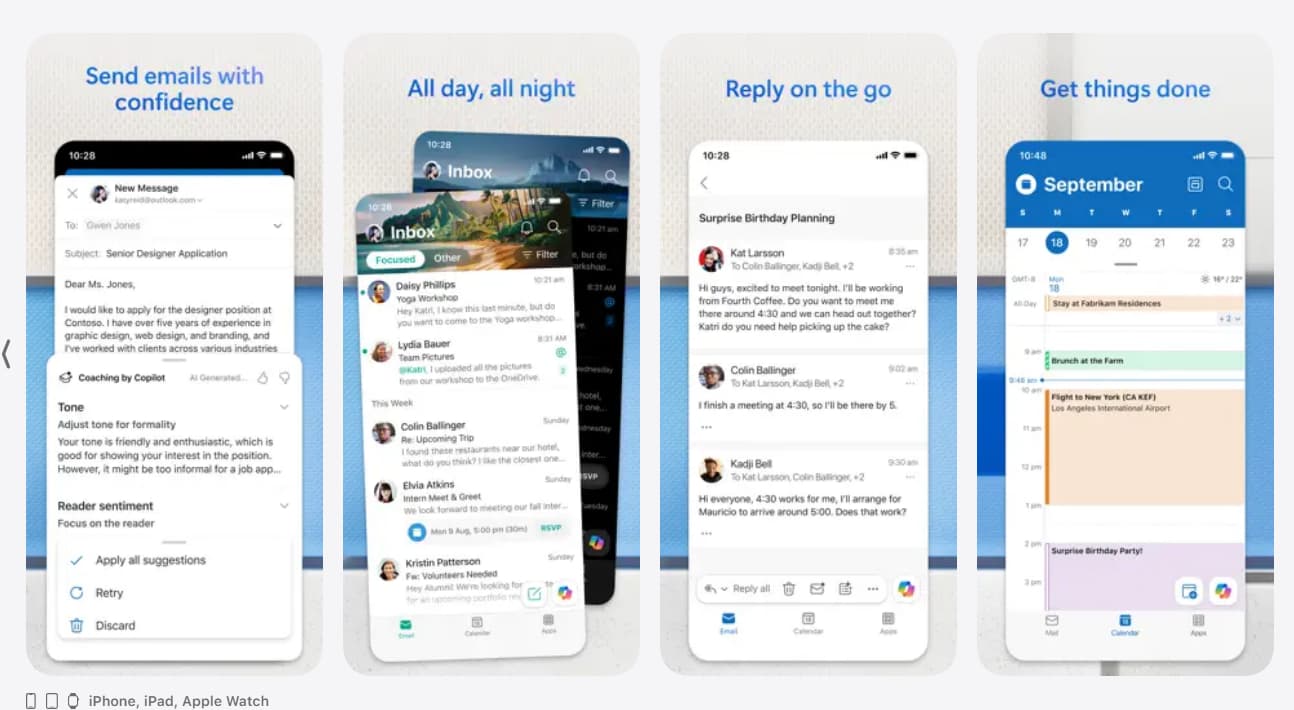
Outlook also boosts your writing productivity with built-in intelligent editing tools. When composing emails, you receive suggestions in real time for grammar, spelling, and writing quality. This helps you send polished, professional messages whether you’re replying to a colleague, writing to a customer, or coordinating with family.
A Powerful Calendar to Coordinate Your Busy Life
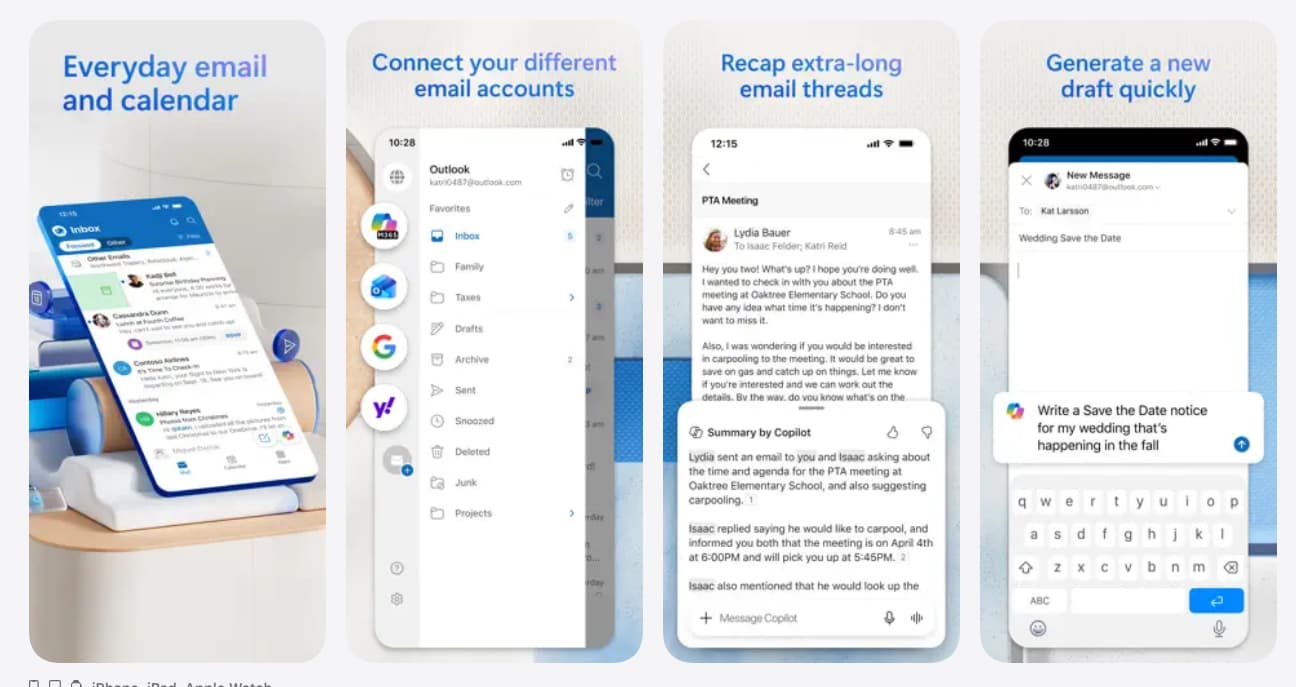
Beyond email, Microsoft Outlook is widely known for its integrated calendar—a tool that helps millions of users plan their schedules effectively. With Outlook, you can view multiple calendars side by side, making it easier to visualize your entire week at a glance. Whether you’re planning work appointments, personal reminders, school deadlines, or family events, the calendar keeps everything beautifully organized.
Outlook’s calendar features include:
-
Viewing multiple calendars simultaneously
-
Syncing calendars from Gmail, iCloud, Microsoft 365, and more
-
Receiving invitations directly in your inbox
-
Sending RSVPs with personalized comments
-
Keeping travel plans, reservations, and delivery updates synced automatically
Planning meetings is especially convenient. You can join online video calls directly from your calendar using Microsoft Teams, Zoom, Skype, and other providers—perfect for staying connected wherever you are.
A Powerful Calendar to Coordinate Your Busy Life
Productivity Tools That Work Smarter for You
Microsoft Outlook is packed with intelligent features designed to save time and make daily tasks easier. Its productivity tools go far beyond basic email management, offering several options that help you multitask efficiently:
-
Suggested Replies: Outlook recommends quick responses so you can reply instantly.
-
Play My Emails: The app reads your emails aloud, helping you catch up hands-free while commuting or multitasking.
-
Voice Search: Use your voice to find messages, contacts, events, or files—no typing needed.
-
Automatic Organization: Outlook updates your schedule with travel information, delivery details, and more.
These smart tools combine to create a powerful, fast, and intuitive experience that adapts to your needs and reduces everyday digital stress.
Security You Can Trust
Email security is more important than ever, and Microsoft Outlook is built with enterprise-grade protection. From viruses to phishing attempts and spam, Outlook keeps your inbox safe with multiple layers of security.
Here’s what you can expect:
-
Built-in spam and phishing protection
-
Virus scanning for attachments
-
Secure encryption for sending confidential emails (with Microsoft 365 subscription)
-
Protected file handling
These features help ensure that your personal and professional information remains private and secure across all your connected accounts.
Security You Can Trust
Seamless Compatibility Across Devices
Whether you’re using Outlook on your phone, tablet, or computer, the experience remains consistent and easy to navigate. The mobile app is optimized for both Android and iOS devices, allowing you to access your inbox and schedule on the go. If you’re using a Wear OS smartwatch, you can even see your emails and events at a glance using the Outlook companion app with tiles and complications.
This multi-device compatibility ensures that Outlook fits smoothly into your lifestyle, no matter where or how you prefer to work.
Why You Should Download Microsoft Outlook Today
If your day involves switching between apps, struggling with multiple email accounts, or losing track of important messages or appointments, Microsoft Outlook is the solution. It simplifies your digital life by centralizing everything—emails, files, meetings, and schedules—into one intelligent, powerful app.
With features like Focused Inbox, voice search, cloud integration, online meeting support, and industry-leading security, Outlook delivers a streamlined experience that helps you stay productive and organized.
How to Get Started with Microsoft Outlook
Downloading Microsoft Outlook is quick and easy. Simply visit the app store on your device:
-
Open the Apple App Store (iOS) or Google Play Store (Android).
-
Search for Microsoft Outlook.
-
Tap Download or Install.
-
Sign in using your Microsoft account or add any email provider you prefer.
Once installed, you can immediately connect your email accounts, sync your calendars, and start enjoying an all-in-one productivity experience.