

In today’s fast-paced digital world, staying connected is more important than ever. Google, known for its innovation and user-focused solutions, has developed Phone by Google, an official calling app designed to simplify the way you connect with others. This app not only ensures smooth communication but also integrates advanced tools to protect users from spam, improve call efficiency, and create a more secure calling experience. Whether you want to manage business calls, keep in touch with family, or protect yourself from telemarketers, Phone by Google offers a comprehensive solution. With a modern, intuitive interface and powerful features, it has quickly become one of the most popular calling apps available on Android devices.
Why Choose Phone by Google?
Many calling apps focus only on the basics: dialing, receiving, and managing contacts. Phone by Google, however, goes far beyond that. It combines the simplicity of a phone dialer with intelligent features powered by Google’s technology.
The app is designed to:
-
Block unwanted calls and protect against spam.
-
Identify callers before you pick up.
-
Help you avoid waiting on hold during customer service calls.
-
Provide voicemail transcriptions so you don’t need to dial in to listen.
-
Support emergency calling features to share your location with operators when needed.
This makes the app not just another dialer, but a smart communication assistant built directly into your phone.
Why Choose Phone by Google?
Key Features of Phone by Google
1. Powerful Spam Protection
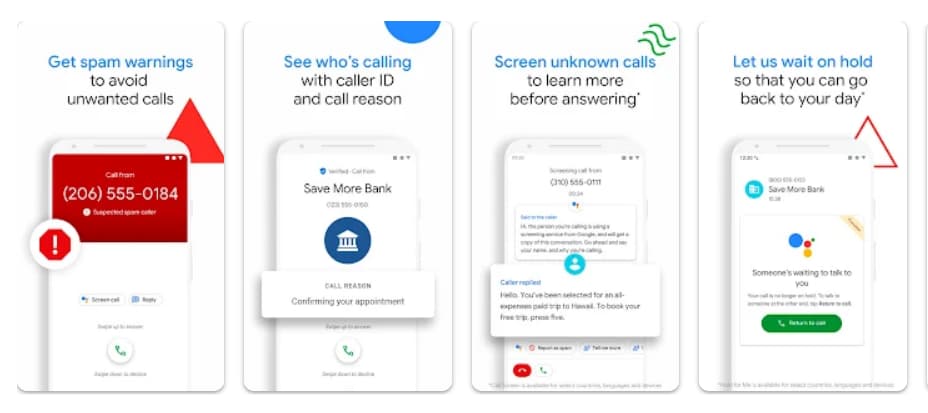
Spam calls are among the most frustrating experiences for mobile users. With Phone by Google, you can see warnings about suspicious callers such as telemarketers, scammers, and robocalls. The app lets you block numbers easily, ensuring those callers cannot reach you again.
2. Know Who’s Calling
Caller ID is taken to the next level with Google’s extensive database. Phone by Google identifies businesses and organizations so you can answer confidently. Instead of guessing who might be on the other end, you’ll know in advance whether it’s an important call.
3. Hold for Me – Save Time
If you’ve ever spent time on hold with customer service, you know how frustrating it can be. The “Hold for Me” feature allows Google Assistant to wait on the line for you. When a representative becomes available, you’ll be notified so you can return to the call.
4. Screen Unknown Callers
Unknown numbers can be risky. With Call Screen, the app automatically answers and filters calls from unfamiliar numbers. This feature helps you decide whether to pick up, ignore, or block the caller, while keeping spammers out of your way.
5. Visual Voicemail
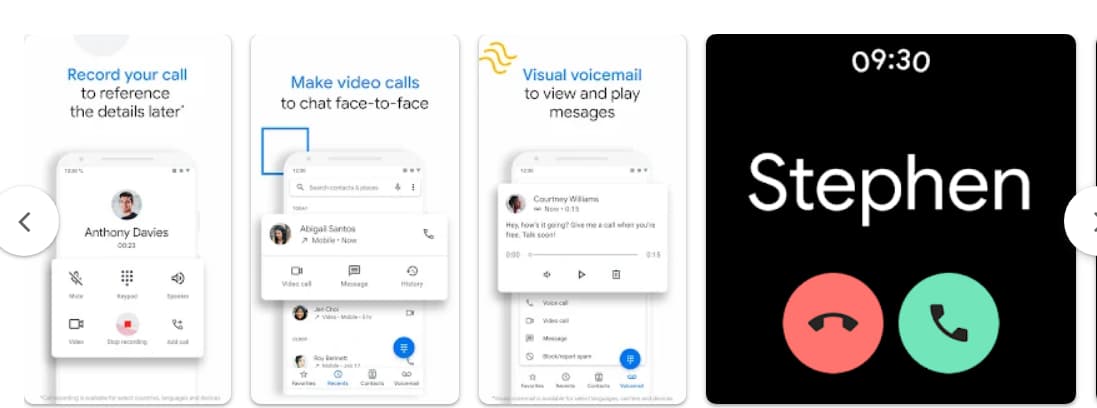
Instead of dialing in to check messages, Phone by Google allows you to view, listen, and manage voicemails directly in the app. You can play them in any order, read transcriptions (available in certain regions), and delete or save them with a tap.
6. Call Recording
Need to keep track of important conversations? Phone by Google includes call recording capabilities. Once recording begins, all participants hear a disclosure for transparency. Saved recordings are stored securely on your device for later reference.
7. Intuitive Design and Dark Mode
The app’s clean, lightweight design makes calling simple and enjoyable. Your favorite contacts are always just a tap away. Plus, dark mode is available for those who prefer a softer look, reduced eye strain, and improved battery life at night.
8. Emergency Support
In critical situations, Phone by Google can automatically share your location with emergency operators, ensuring you receive the help you need quickly. This feature is especially valuable if you cannot speak during the call.
9. Compatibility with Wear OS
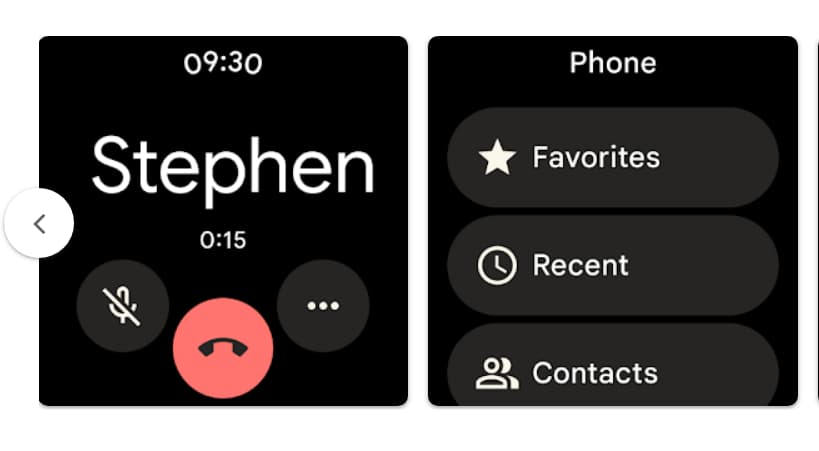
For those using smartwatches powered by Wear OS, the Phone by Google app extends its functionality, letting you handle calls conveniently from your wrist.
Key Features of Phone by Google
Advantages of Using Phone by Google
-
Enhanced Security: Protect yourself from scams and unwanted calls.
-
Time-Saving: Features like Hold for Me and visual voicemail save precious minutes.
-
Clarity and Confidence: Caller ID and screening ensure you always know who is reaching out.
-
User-Friendly: A minimal, sleek design makes it easy for anyone to use.
-
Flexibility: Works across most Android devices with version 9.0 or higher.
These advantages make Phone by Google a top choice for users who want more than just a basic dialer app.
Advantages of Using Phone by Google
How to Use Phone by Google
Getting started with Phone by Google is straightforward. Here’s a simple guide:
Step 1: Download and Install
Search for “Phone by Google” in your device’s app store and install the app. It is free to download on most Android devices.
Step 2: Set as Default Phone App
Once installed, you may be prompted to set it as your default phone app. Confirm the setting so all your calls will be managed through Phone by Google.
Step 3: Grant Permissions
The app will request permissions such as access to contacts, calls, and microphone. Grant these to enable full functionality.
Step 4: Explore Key Features
-
Enable spam protection in the settings.
-
Turn on Call Screen for unknown numbers.
-
Test voicemail and call recording features.
-
Customize appearance with dark mode.
Step 5: Start Calling
Now, you can dial numbers, answer calls, and experience the benefits of intelligent calling powered by Google.
Tips for Maximizing the App
-
Keep it Updated: Ensure you always use the latest version for access to new features and security improvements.
-
Customize Settings: Adjust call blocking, voicemail notifications, and caller ID preferences to fit your needs.
-
Sync with Google Account: Logging in with your Google account allows seamless integration with other Google services.
-
Use with Wear OS: Pair with your smartwatch for easier call management.
Tips for Maximizing the App
Who Can Use Phone by Google?
Phone by Google is available on most Android devices running Android 9.0 or higher. However, some features like Call Screen, Hold for Me, and transcription may be limited to certain countries or languages. Pixel devices often enjoy the most complete access to advanced functions.
Despite these regional limitations, the app remains a strong option for anyone seeking better call management, security, and convenience.
Phone by Google is more than just a dialer app—it’s a complete communication tool designed to give users control, safety, and efficiency in every call. With spam protection, caller ID, call screening, voicemail transcription, and even emergency support, it ensures you spend less time worrying about unwanted calls and more time connecting with the people who matter most. If you want a smarter way to call, organize, and protect your phone conversations, downloading Phone by Google is the right choice. Simple, effective, and powered by Google, it transforms the way you experience calls.









