

In today’s fast-paced world, getting from point A to point B efficiently is more important than ever. That’s where Waze comes in. More than just a GPS navigation app, Waze is a dynamic driving assistant that uses real-time input from millions of drivers worldwide to provide live traffic updates, safety alerts, and accurate travel times. With Waze, every journey becomes smoother, smarter, and more predictable. Unlike traditional navigation apps that simply show you a route, Waze actively learns from the road. Every driver contributes to the system by sharing updates about accidents, police checkpoints, traffic jams, or hazards. This collective knowledge makes Waze not only reliable but also highly responsive to real-world driving conditions.
Why Choose Waze?
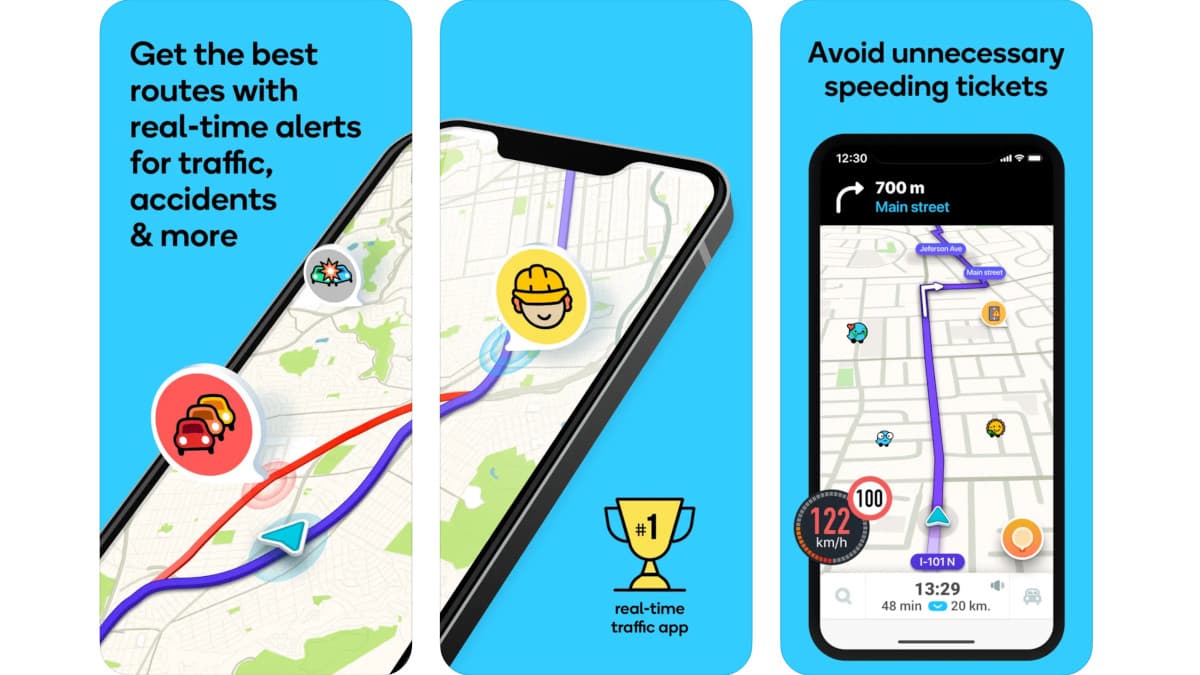
The main reason drivers prefer Waze is its community-driven approach. With tens of millions of users constantly updating the app, you’re never driving blind. Whether it’s a sudden road closure, unexpected traffic, or hidden speed cameras, Waze ensures you stay informed.
Some of the standout benefits include:
-
Time Efficiency: Get to your destination faster with real-time rerouting based on current conditions.
-
Peace of Mind: Receive timely safety alerts for road hazards, sharp turns, or bad weather.
-
Cost Savings: See toll prices in advance, avoid unnecessary detours, and find cheaper fuel stations.
-
Stress Reduction: With accurate ETAs and lane guidance, you’ll drive with greater confidence.
Why Choose Waze?
Key Features of Waze
Waze is packed with innovative features that make every drive simpler and safer. Here are some of the highlights:
Real-Time Navigation
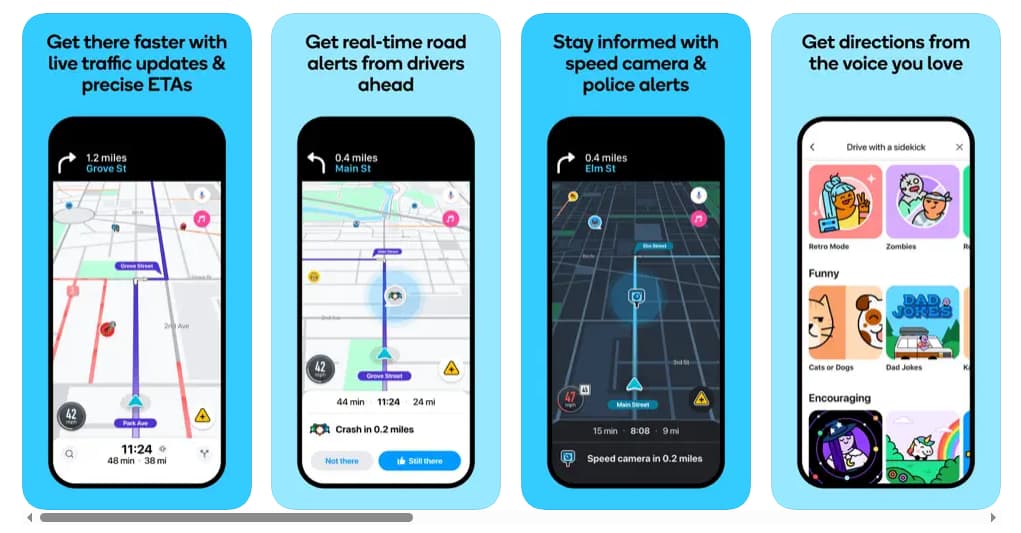
Waze offers live directions that adjust automatically when traffic builds up or incidents occur. You’ll always know the quickest way to your destination, even during rush hours.
Accurate ETAs
The app calculates estimated times of arrival using real-time data. You can also plan future drives by checking ETAs based on departure or arrival times.
Safety Alerts
Stay ahead of road surprises with alerts for accidents, construction, sharp curves, potholes, and more. You’ll also be notified about changes in speed limits and upcoming railway crossings.
Police and Camera Locations
Avoid costly fines with alerts about police checkpoints, speed traps, and red-light cameras. Waze keeps you informed so you can drive responsibly.
Fuel and Charging Stations
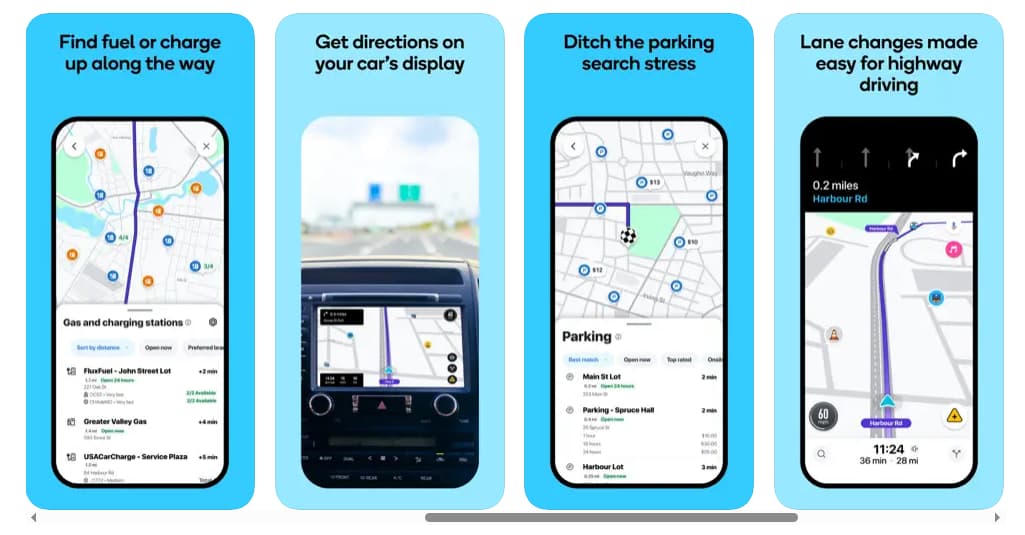
Need to refuel or charge your electric vehicle? Waze helps you find nearby petrol stations, EV charging points, and even compare prices.
Parking Assistance
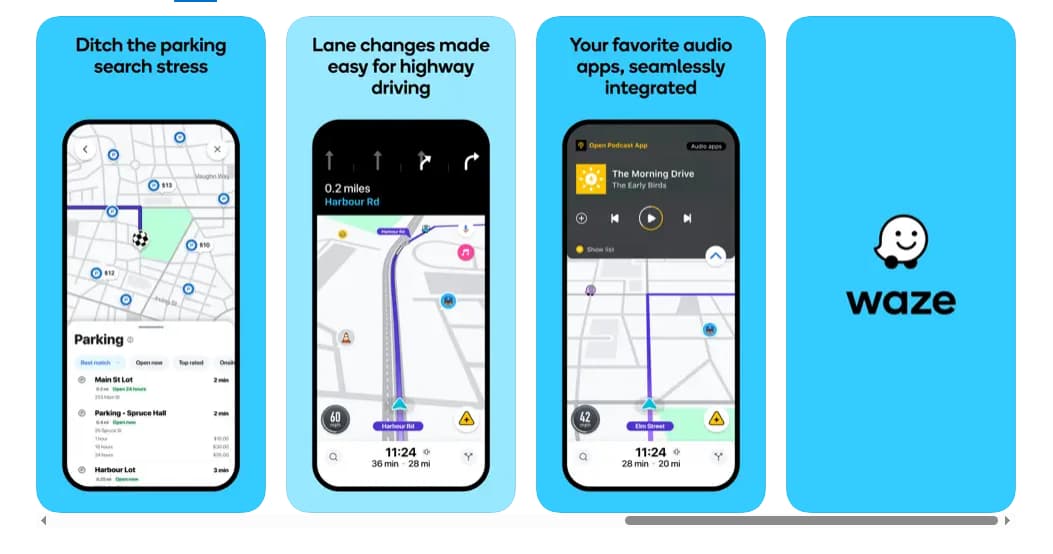
No more wasting time looking for parking. Waze shows available lots near your destination and lets you compare prices.
Voice-Guided Navigation
Choose from a variety of languages, accents, or even celebrity voices for turn-by-turn navigation. This makes driving both practical and entertaining.
Audio Integration
Enjoy your favorite podcasts, audiobooks, or music without leaving the app. Waze integrates with popular audio services for seamless entertainment.
Car Display Compatibility
Connect Waze with your car’s built-in display via Android Auto for an enhanced driving experience.
Key Features of Waze
Advantages of Using Waze
Beyond its features, Waze offers drivers several unique advantages:
-
Community-Powered Accuracy – With millions of drivers updating the app in real time, you’ll always have the latest information about road conditions.
-
Stress-Free Driving – Whether avoiding traffic jams or finding the right lane, Waze reduces uncertainty on the road.
-
Flexibility – You can avoid toll roads, restricted areas, or even set preferences for HOV lanes.
-
User-Friendly Design – The interface is simple, intuitive, and designed for safe use while driving.
-
Global Reach – Waze is available in many countries and supports multiple languages, making it ideal for both local commutes and international travel.
How to Get Started with Waze
Waze is designed to be easy for anyone to use. Here’s how you can start navigating with confidence:
Step 1: Download and Install
Search for “Waze Navigation und Verkehr” in your smartphone’s app marketplace. Once installed, open the app to begin setup.
Step 2: Create or Sign In to Your Account
You can sign up with an email address or use your Google, Facebook, or Apple account to log in. This allows you to save your preferences, routes, and favorite locations.
Step 3: Set Permissions
Waze requires access to your location, notifications, and sometimes microphone for voice commands. Grant these permissions to unlock full functionality.
Step 4: Personalize Your Experience
Customize your driving preferences:
-
Choose voice navigation style and language.
-
Select whether you want to avoid tolls or highways.
-
Sync your favorite audio apps for music or podcasts.
Step 5: Start Driving
Simply enter your destination and let Waze guide you. Along the way, you can also contribute by reporting accidents, hazards, or traffic jams.
How to Get Started with Waze
Tips for Making the Most of Waze
-
Plan Ahead: Use the future departure feature to see when traffic will be lighter.
-
Stay Updated: Report incidents to help other drivers, and in turn, benefit from their updates.
-
Drive Safely: Use voice commands instead of typing while driving.
-
Check Parking Options: Before arriving at a busy area, compare parking availability and prices.
-
Monitor Fuel Prices: Waze helps you save money by locating cheaper petrol stations.
Tips for Making the Most of Waze
Privacy and Safety
Waze values user privacy and gives you full control over your in-app settings. You can manage what information is shared, decide whether your driving activity is visible to others, and adjust notifications to suit your comfort level.
It’s worth noting that Waze is designed for everyday drivers, not emergency or oversized vehicles. Some features may also vary depending on your location.
Waze is more than just a navigation app—it’s a community-driven driving companion. By combining live updates from millions of drivers with powerful navigation tools, Waze transforms stressful commutes into smooth, predictable journeys. Whether you’re avoiding traffic jams, staying ahead of police checkpoints, or finding the cheapest fuel, Waze puts you in control of your drive. If you want to save time, reduce stress, and enjoy smarter driving, Waze is the app for you. Download it today, set up your account, and let the road ahead become clearer than ever.









